![The Best Advent Calendars for Adults [Tested and Reviewed]](/wp-content/uploads/2025/10/The-Best-Advent-Calendars-for-Adults_Taste-of-Home_01_YVedit.jpg?resize=72,72)


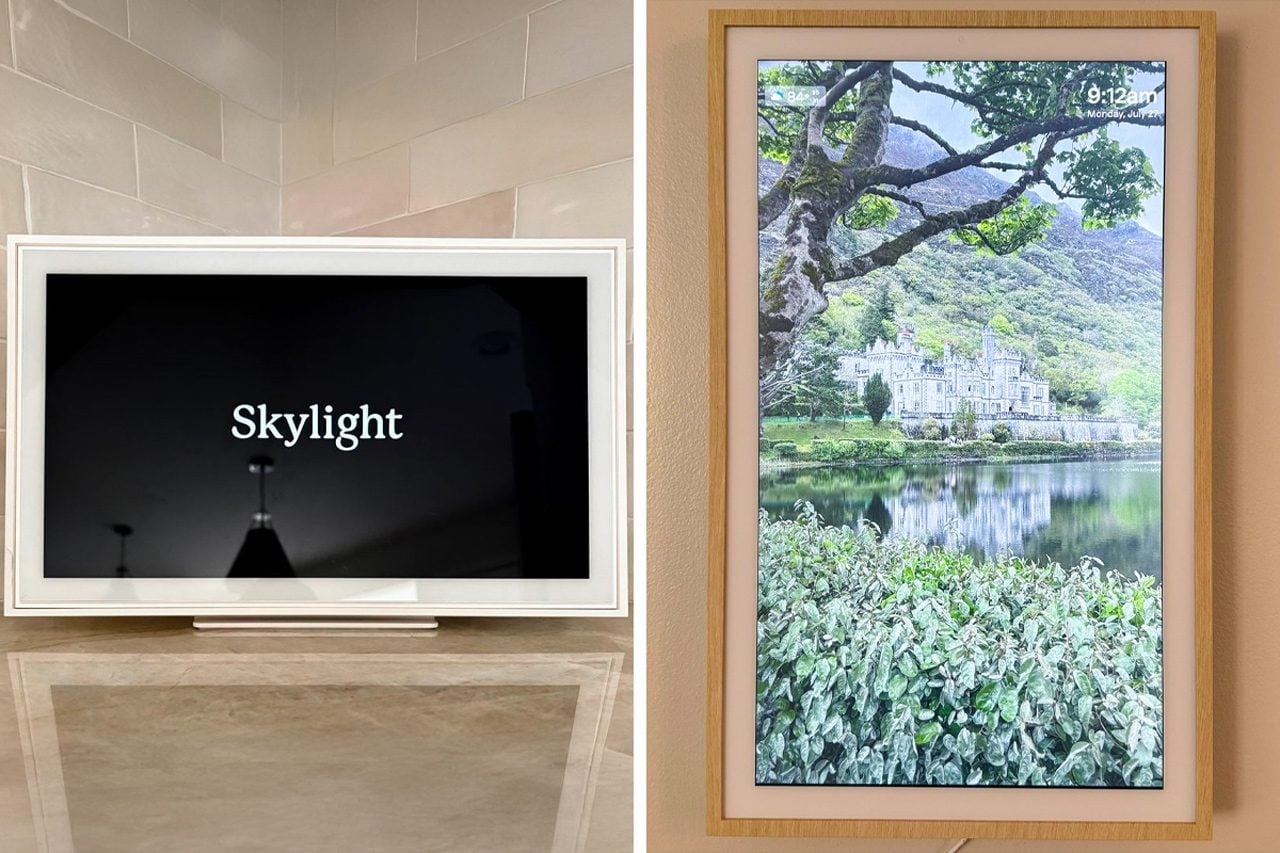
We put both family calendars to the test in order to see which is worth its salt. It didn't take long for us to declare a winner.
Our editors and experts handpick every product we feature. We may earn a commission from your purchases.
Learn more.
Life, especially life with children, can be hectic. Parents often find themselves juggling everything from doctor’s appointments and play dates to sports and school spirit weeks. And, of course, there’s your own schedule to consider along with grocery shopping, cooking, cleaning and all of the other mundane chores that have to be done. While you may not be able to slow down (yet), a digital family calendar can help. We put two popular calendars to the test: the Skylight Digital Calendar and the Hearth Display. Here’s everything you need to know if you’re ready to bring order to chaos.
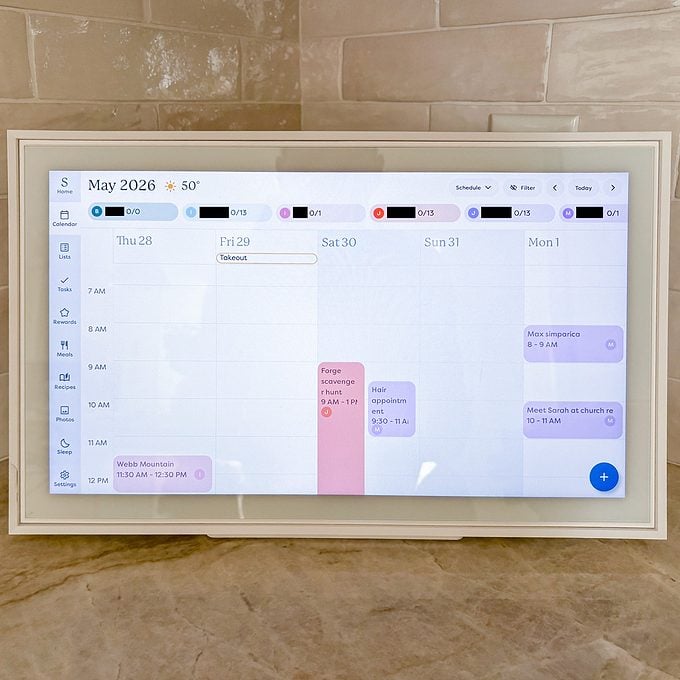
Skylight Calendar
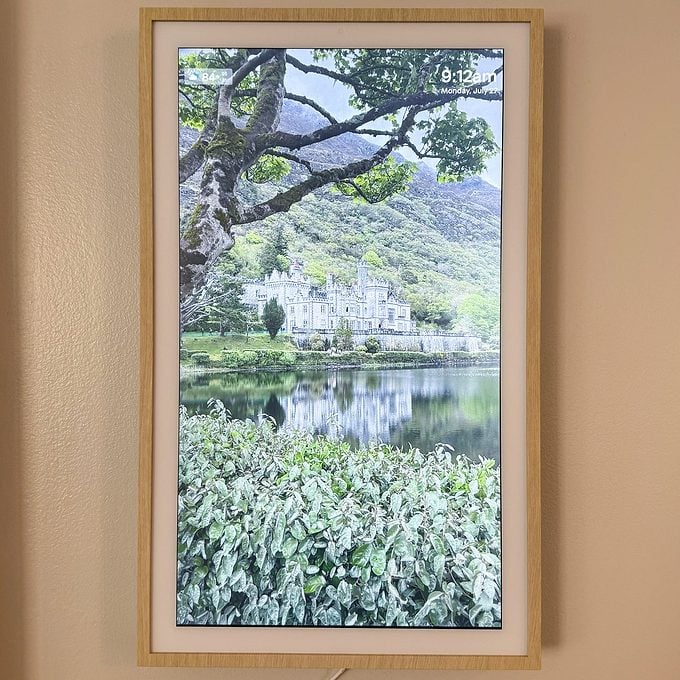
Hearth Display
Skylight vs. Hearth: At a Glance
The first Skylight Digital Calendar was released in 2020 and has evolved quite a bit since then. What started as a simple way to keep loved ones connected and on track has become a staple in countless homes. That’s because this color-coded calendar displays your entire family’s schedules, plus tasks, chores and lists all in one aesthetically pleasing place. It comes in three sizes, three styles and four colors. Best of all, all of its essential features can be used without a paid subscription.
The Hearth Display was created by a team of moms and caregivers and launched in 2021. It boasts a large, crisp display so you can keep track of every appointment, practice and event. In addition to helping manage your calendar, it also helps track meals, lists and routines. There’s even a reward system! The Hearth’s core features—calendars, calendar syncing and unlimited profiles—can be used without a paid subscription.
Skylight vs. Hearth: What’s Similar?
Skylight and Hearth are both digital family calendars that allow you to keep schedules, to-do lists, chores, meal plans and more in one convenient place. Both calendars support unlimited user profiles and are compatible with existing Apple, Google, Outlook and Cozi accounts making it easy to keep everyone’s calendar synced.
Skylight vs. Hearth: What’s Different?
Skylight offers several size, style and color options. Prices range from $170 to $630 depending on the size and style you choose. There are 11 standard features that are free to use including a mobile app, task manager, custom lists, weather, share access and more. There’s also an optional Calendar Plus subscription that allows you to set up a reward system, photo screensaver, meal plan and magic import. There’s even a Disney mode which allows you to customize your profile with a character avatar and celebrate jobs well done with exclusive animations and emojis. The Calendar Plus subscription is $79 annually.
The Hearth Display comes in one size and must be mounted to a wall. It costs $700 and requires a Family Membership subscription to complete setup as well as access all premium features including to-do lists, routines and Hearth’s AI-powered helper. The Family Membership costs $86 annually and the first month is free. Your membership can be cancelled at any time. If you choose to cancel, you will still have access to core features including calendars, calendar syncing and unlimited profiles.
How We Tested Skylight

I’ve been using the 15-inch Skylight calendar with the Plus subscription in my home since September 2025. (For a more in-depth look at the calendar’s features, setup process and long-term performance, check out my full Skylight Calendar review.) In that time, I have come to rely heavily on the calendar, task lists, chore charts and reward system.
Skylight Setup
I was using my Skylight calendar within 30 minutes of taking it out of the box. After placing it on my kitchen counter, I plugged it in, connected it to Wi-Fi and created my account on the Skylight app. I was able to invite my husband onto the account, allowing him to access everything on the calendar. Once the Skylight was up and running, I was able to customize it for our family.
Since Skylight allows you to create color-coded profiles for each family member, I started by assigning everyone their favorite color. We have a large family (there are six of us), so I was initially worried that we all might not be able to create our own profiles. Thankfully Skylight allows unlimited user profiles, so no one was left out! With all of our profiles set up and color-coded, I started inputting all of our appointments, activities and plans into the Skylight. You can add events directly on the calendar via the interactive touchscreen or through the app. Both are easy, but I found I prefer the app when entering information.
Once our calendars were updated, I moved on to creating task lists for each of our four children. Skylight breaks these lists down into morning, afternoon and evening tasks. I am able to input everything our children must do every day, from brushing hair and teeth in the morning to emptying backpacks and washing lunch containers in the afternoons. There are options to assign the same task to multiple people and repeat a task every day, week or month, so you’re not inputting the same tasks multiple times. When the school year ended, adjusting their task lists to fit our new summer routine was a breeze. Truth be told, it didn’t take long for this particular feature to become one of my favorites. It keeps everyone on task and our house running smoothly. Well, as smoothly as it can run with four young children.
Since I paid for the Calendar Plus subscription, I also have access to a chore chart and reward system for each child. Each chore on the list can be assigned a custom star value. The children collect stars and then cash them in for a reward of their choice. There’s also a new “up for grabs” column that any of the children can tackle in order to earn extra stars. While my husband and I were able to select the star value for each chore and reward, we allowed our children to choose their own rewards. This way, each child is working towards something they want. They’re also able to check off each completed task and chore themselves, which they love.
Maintenance
I am pleased to report that the Skylight requires very little maintenance. I have it set to wake up and go to sleep each day and the software automatically updates here and there. All I do is wipe away dust with a microfiber cloth as needed.
Long-Term Testing

As mentioned above, I’ve been using the Skylight since September 2025. In that time, I’ll admit that I haven’t tapped into all of the features that come with my Calendar Plus subscription. I’m inconsistent with the meal planning feature and I don’t store recipes, upload photos or sync other calendars. However, the features I do use, particularly the chore chart and reward system, are worth the annual cost.
With the reward system in place, I no longer have to chase my children around the house asking if they’ve done their chores. They know that if they don’t complete each of their daily tasks, they don’t get their star at the end of the day. That means it takes longer to earn things like weekend screen time or one-on-one time with Mom and Dad.
Another feature that’s been tremendously helpful is the list feature which does not require a Calendar Plus subscription. We started out with a simple grocery list that my husband and I both add to throughout the week. We’ve since created dedicated lists for each store we frequent including Costco and Trader Joe’s. When one of us goes to the store, we open the app and know exactly what to get. At the store, we check off each item as we put it into the cart. Once checked off, that item is automatically removed from the list so we don’t have to worry about duplicate purchases.
After almost a year of use, I have not experienced any crashes or glitches with the calendar or the app. The only exception is when we lose power. Since the Skylight doesn’t have a battery backup, it has to be plugged into an electrical outlet at all times. So when the power goes out, so does the Skylight. Luckily, we’re able to rely on the app until the power comes back.
Pros
- Simple to use
- Plenty of free standard features
- Supports unlimited user profiles
- Subscription is not required
- Color coding makes it easy to see everyone’s schedule
- Can update calendar and lists from the device or the app
- The app is easy to navigate
- Multiple size, frame and color options to choose from
Cons
- Must be plugged into an electrical outlet—no battery backup if power goes out
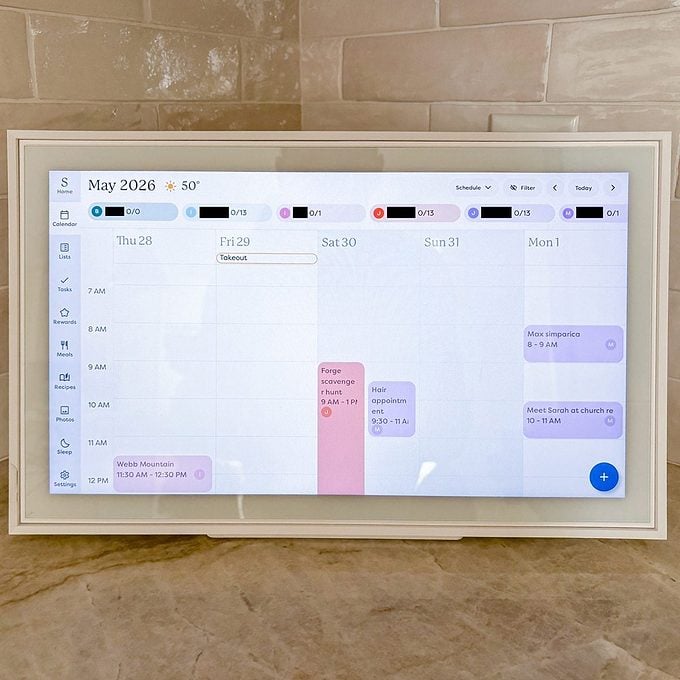
Skylight Calendar
How We Tested Hearth
Shopping editor Mary Henn set up the Hearth Display in her home and has been familiarizing herself with all that it has to offer. We can’t speak to long-term testing (yet!) but stay tuned for long-term updates as Mary continues to integrate the Hearth into her day to day life!
Hearth Setup
The Hearth Display measures 16.5-inches wide, 26.7-inches tall and 1.2-inches deep. Because of its size, it has to be mounted on a wall. The mounting hardware is included which made installation quick and painless for Mary. “After removing the screen, hardware and wall mount from the box, I centered the mount on my wall and used the built-in level to make sure it was straight,” she explains. “After marking where to drill, I inserted the anchors and secured the mount using the included screws. I then routed the power cord through the mount before sliding the display into place, where it automatically connected and powered on.”

Once she had it mounted and plugged in, Mary connected the Hearth to Wi-Fi and downloaded the app. But before she could get started, she had to sign up for Hearth’s Family Membership. “The process was straightforward, though I was prompted to sign up for a Family Membership and enter payment information before completing setup,” she says. “The subscription includes a one-month free trial, and you can cancel at any time. While you can use the calendar without a membership, the free version lacks many of the premium features.”
After getting the membership squared away, it was time to customize her family calendar. Mary invited her partner to join her family so he could access the shared calendar and add his own events. “Hearth lets you create profiles for each family member with names and photos, so it wasn’t long before we replaced the default dinosaur avatars with hilarious selfies,” Mary says.
Once their profiles were set up, Mary started importing appointments and events from her existing calendars. While Hearth can import nearly any calendar using a public link, Mary found that it seems to work best with Google Calendar. “My initial plan was to connect my Apple Calendar (iCal) to Hearth, so I was a little disappointed to discover that imported iCal calendars are view-only. I wouldn’t be able to add, edit or delete events directly from the Hearth this way,” she explains. “Google Calendar offered much deeper integration, so I synced my Apple Calendar with Google Calendar and connected my Gmail account instead. Once I did that, all my calendars appeared in Hearth with full editing capabilities—a worthwhile workaround.”
Once everything was imported, Mary began exploring Hearth’s five main features: Calendar, Meals, Lists, Routines and Rewards. The calendar can be viewed by day, week, month or agenda. You can create meal plans, build shared grocery lists and save recipes in the Recipe Vault. Shared to-do lists allow you to assign tasks to family members, while Routines and Rewards help build consistent habits through customizable chore charts and incentives.
From brushing teeth and taking baths to reading books and taking naps, you can create nearly unlimited recurring tasks. Tasks can be assigned to individual family members or left open for anyone to complete, encouraging teamwork around the house. Once someone finishes a task, they simply mark it complete to earn stars. Both the point values and rewards are fully customizable, making it easy to tailor the system to your family’s routines, wants and interests.
Initial Testing

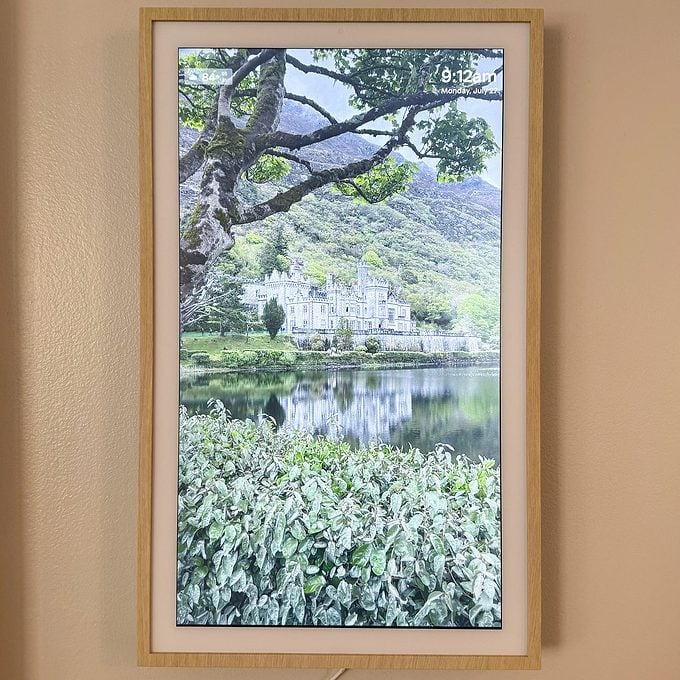
While Mary has only been testing the Hearth Display for a short time, she’s been impressed with it from the start. “Its light wood frame and clean white matting give it the appearance of framed artwork rather than a typical smart screen display,” she raves. “The anti-glare screen does an excellent job of minimizing reflections, and I love that I can rotate up to 20 personal photos when the display is idle. I was genuinely surprised by how vibrant and lifelike the images looked in the frame.”
Overall, Mary has been enjoying the Hearth. “It makes it incredibly easy to see everyone’s schedules at a glance, assign and complete daily tasks, and keep the entire household organized,” she says. “I haven’t fully incorporated the meal-planning tools into our routine yet, but I can already see them becoming one of my favorite features, especially since I rely on visual grocery lists and saved recipes when planning meals.”
Maintenance
According to Mary, the Hearth requires very little maintenance. Because it mounts to the wall, it stays relatively clean and is less likely to collect food debris or moisture than a countertop display. Additionally, software updates install automatically.
The only thing to keep in mind is the fact that like most smart calendar displays, the Hearth must remain plugged into an electrical outlet at all times. “I do wish it included cord covers for a cleaner installation, but I was able to purchase those separately,” says Mary.
Pros
- Easy to set up and use
- Intuitive, easy-to-navigate companion app
- Supports schedule management, meal planning, shared to-do lists, task assignments and more
- Supports unlimited user profiles
- Family Membership can be canceled at any time while retaining access to core features
- Color-coded calendars make it easy to see everyone’s schedule at a glance
- Calendars, lists and tasks can be updated directly on the display or through the app
- Customize the display with personal photos and artwork
- Sleep mode automatically dims the display overnight
Cons
- Expensive compared with other digital family calendars
- Family Membership sign-up is required during initial setup
Hearth Display
The Bottom Line
After testing the Skylight Calendar and the Hearth Display, we can confidently say that a digital calendar is a worthwhile investment if you’re looking for ways to manage your family’s busy schedules. The Skylight is a versatile option for any home and family.
The Hearth Display was designed by moms with kids in mind. This large, 27-inch display is ideal for homes with young children who want to do it all themselves.
While neither option is cheap per se, we found the Skylight to be a better value overall.
The price of the Skylight Calendar depends on which size you choose. A 10-inch Skylight costs $170. The 15-inch calendar is $300 for the classic frame, $320 for the aluminum shadowbox frame and $350 for the wood frame. The 27-inch Skylight Calendar Max will set you back $600 for the classic frame or $630 for the aluminum shadowbox frame.
Skylight does offer a small discount on your calendar if you sign up for a Plus Plan. You can save $20 on the 10-inch and 15-inch calendars or $30 on the 27-inch calendar. Not only will you save a few bucks, but you’ll receive one free month of Calendar Plus. After your free month, you can subscribe for $79 a year. Having used the Skylight with the subscription for almost a year now, I can confidently say it’s worth every penny.
FAQ
What is the best digital family calendar?
Skylight is a popular choice for families due to its lower price, faster interface and easy-to-use touchscreen.
Is there a monthly fee for the Skylight calendar?
No. The Skylight calendar has 11 standard features that are free to use. There is an optional subscription that costs $79 annually.
Does the Hearth calendar require a subscription?
Yes. The Hearth calendar requires a membership in order to complete setup. The first month is free so there’s no upfront cost and it can be cancelled any time.